
If you could hand one stack of paper on your desk to a machine tomorrow, which one would it be? I ask the owners I keep books for this a lot, and almost everyone points at the supplier invoices first (they’re the stack that makes them sigh), which is understandable and, I think, usually the wrong place to start.
Most small wholesalers I work with have the same four piles: customer orders, supplier price lists, delivery notes and supplier invoices. Different senders, different layouts, different levels of mess, and every one of them ends up as rows in the same spreadsheet or system eventually, typed by somebody who has better things to do. If you’re trying to work out how to automate data entry with AI without buying something you’ll regret, the useful question isn’t whether AI can read the document, because it can read almost anything now. Ask instead how badly it hurts when it reads something wrong, and who notices.
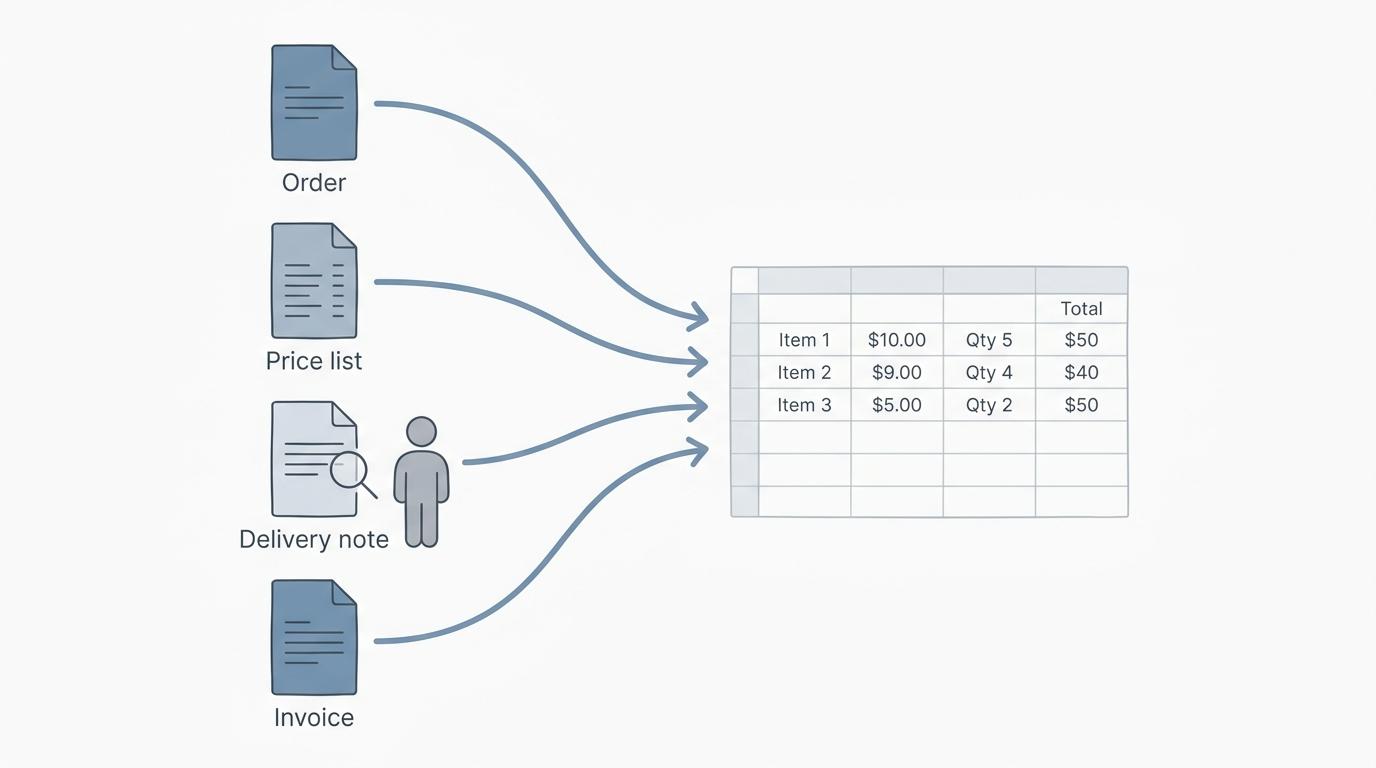
Four piles, four very different reading tests
Reading and understanding are separate jobs, and the gap between them is different for each pile. Below is how I’d rate them today, based on the client files I see every week (no names, obviously).
Supplier price lists: easy to read, fiddly to use
Price lists are mostly tables, and current AI tools are genuinely good with tables. Give one a supplier’s PDF or Excel price list and it will pull out product names, codes and prices with very few slips. The trouble starts after the reading. Is that price per case or per unit? Does the new list apply from the first of the month or from the day it landed in your inbox? Which of the supplier’s codes is the same item as the one in your own system, now that they’ve renamed half the range? None of those are reading problems, and no extraction tool answers them for you.
Delivery notes: the printed part is fine
The typed part of a delivery note reads cleanly. What the driver adds by hand at the customer’s back door (a crossed-out quantity, a note that a case was refused, a scribble next to the signature) is where machines still guess.
And those scribbles are the whole point of the document. If a case of yoghurt came back, then somebody has to credit the customer, and if nobody spots the note, then an invoice goes out for goods the customer never kept. My rule: let AI read the printed lines, and keep a person on anything written by hand.
Supplier invoices: better than you’d think, with a catch
My dad ran a small hardware shop, and he kept every supplier invoice in shoeboxes labelled by month. As a teenager I’d sit at the kitchen table with him on Sunday evenings, him reading out amounts, me typing them in, both of us pretending the radio was the only reason it was bearable. (He still insists the shoeboxes were a filing system. They were, sort of.)
Today, the header of a supplier invoice is the easiest thing in this whole article for a machine to read: supplier name, invoice number, date, tax, total. Line items on a clean PDF come through well too. The catch is everything around the reading. Does this invoice match what you ordered and what actually arrived? Is it a duplicate of the copy the supplier also posted? And that negative line, credit or typo? Those are matching and judgment questions, and they belong to whoever pays the bills.
Customer orders: the messiest pile, and the one with a clock on it
Orders arrive in every format a customer can think of: a PDF from a restaurant group’s purchasing system, an email typed on a phone between deliveries, a photo of a handwritten sheet taped to a walk-in fridge, “same as last week but double the milk.” AI reads the words on all of those surprisingly well now.
What has to happen next is harder. Somebody, or something, has to work out that “the big tubs of Greek” means a specific item code in your system, at this customer’s price, in the unit you actually sell. If the tool gets the product right but the unit wrong, then you ship a single tub where the customer wanted a case. Pick the right unit but last season’s price, and the invoice is wrong; you find out when the customer short-pays it. That matching step is where order entry eats time, and it’s also where a wrong guess turns into the wrong pallet on a truck.
Which document first? Orders, and yes, the bookkeeper is saying that
I know. You’d expect me to say supplier invoices, since they’re my pile.
Start with timing. Orders come in every day, often all at once in the early morning, and each one has to be in the system before picking starts. Supplier invoices can wait until Thursday; a customer order can’t wait until lunch. Then there’s where the mistake ends up. A misread supplier invoice sits in your payables until somebody catches it (annoying, but contained), while a misread order leaves the building as a wrong delivery, a return trip, a credit note and an awkward phone call. And, the selfish bookkeeper reason, those credit notes land on my desk anyway. Fixing the front of the business quietly tidies the back of it.
The usual objection is that orders are the hardest pile to read, so why start there? Because hard to read is exactly where the newer tools differ from the old ones. Template software needed every layout set up in advance, which made it a poor fit for a customer list where everybody sends orders differently. AI reading copes with a layout it has never seen, so the remaining work is matching each line to your own product list and having someone check whatever the tool wasn’t sure about. Some tools are built for exactly that job: they read the order, ask a person when a line is unclear, and hand back a clean file to import. You can see how one works here.
If most of your orders already come through EDI or an ordering portal, all of this matters less, and you can happily start somewhere else. When they come by email, PDF and the occasional blurry photo, start here.
Templates, built-in capture, AI reading: what each is honestly good for
Every data entry automation pitch I’ve sat through makes its own approach sound like the only sensible one. They all have a place. Each of them also has a pile it’s bad at, and the sales demo rarely shows you that pile.
OCR templates
This is the older approach. You show the software a sample document, mark where the invoice number and the total sit, and it reads those boxes on every document with the same layout. For a big supplier whose invoice hasn’t changed in years, that’s reliable and cheap. With anything arriving in a new layout (a supplier’s redesigned invoice, a new customer’s order form), someone has to build a template first, and until they do, the document lands back on a person’s desk.
The capture feature already in your accounting software
Before buying anything, check what you already pay for. QuickBooks Online, for instance, gives you a forwarding email address, and pulls the date, amount, vendor and last four card digits from receipts and bills you email in, then drops them into the Receipts tab for you to review. Other accounting programs have similar features for bills. Worth a trial month before you pay for anything else: forward a week of bills, then count how many you had to correct and what kind of corrections they were.
For overheads (the electricity, the van lease, the accountant, hello) that’s often all you need, because you post the total to one account and move on. It helps much less when you need every line of a stock invoice in your inventory records, because header fields don’t tell you how many cases of what arrived at what cost.
General AI chat tools
Paste a supplier PDF into a general AI chat tool, ask for a table, and you’ll often get a good one. I use this for one-off jobs, like turning an old price list into a spreadsheet before a client’s year-end stock count. As a daily process it’s shaky. The output format drifts from one day to the next, it only knows your product codes if you keep feeding it the list, and you need to read its data policy before you feed it a customer’s pricing. And unless you ask, it rarely says “I’m not sure about this line.” It mostly just answers.
AI reading built around one kind of document
Tools built for one document type, with your own lists loaded and a check step where unsure lines go to a person, are the most flexible option for messy, varied paperwork. They also cost a subscription, need your product list kept current, and still need someone to look at the flagged lines. If a vendor tells you there’s nothing left to check, ask what happens when the model is wrong and confident about it.
Typing it yourself
Honestly? Fine, if the volume is small. A distributor with a handful of steady customers who order the same things every week doesn’t need software for orders, just a decent order form and somebody careful. If you go this way, then give one person ownership of the product list, because most of the “typing errors” I trace back turn out to be product-list errors that a faster typist would have made just as quickly.
“Close, but not always correct”: where a person still has to look
The most useful thing I’ve read about checking AI-extracted numbers wasn’t about invoices at all. Derek Willis, a data journalist who works on the OpenElections project, wrote about using AI to turn messy PDFs of official election results into spreadsheets. He found the results “usually very, very accurate,” and also that “the vote figures in the CSV file were close, but not always correct.” His conclusion: “Speed isn’t the most important factor here, though: accuracy is, and using LLMs still means a system of checks…” Their checks look for duplicate records and basic math that doesn’t add up, then compare totals against the official report. Swap vote figures for case quantities and you’ve described an order desk.
So where does a person still belong? In my files, the same places keep coming up:
- Anything handwritten that changes a quantity or a price, especially on delivery notes.
- Lines the tool couldn’t match to a product you sell, or matched with low confidence.
- Substitutions, “same as last week” orders and anything else that needs memory of a customer.
- Prices that don’t match the price list (sometimes the list is wrong, sometimes the customer is).
- Approving anything that moves money. Reading a bill is not paying it.
Now the part I haven’t settled. I still haven’t decided whether I trust AI-read supplier invoices enough to stop checking the totals, and I go back and forth on it more than I’d like to admit. Most months the reading is right.
Some months it isn’t, and the miss is usually small enough that I’d never have caught it by glancing. Glancing, it turns out, is the weak spot. A psychology lab at UNLV that has spent years studying data checking found that visually looking over entered data left roughly 30 times as many errors as entering it twice and comparing. That research was about people typing, not machines reading, but it changed my routine. Meanwhile, then: I let the tool read the invoice, I check that its lines add up to the stated total, and at month end I compare the Accounts payable aging summary in QuickBooks Online against each supplier’s statement. When independent sources agree, that’s a check. Me re-reading the numbers the machine just read is not.
Which brings me back to the question I started with. If you can only hand one stack to a machine, which one? Mine is the orders, every time, with a person on the lines the tool isn’t sure about. The supplier invoices can stay in their shoebox a little longer, Dad. I’ll still be checking the totals.