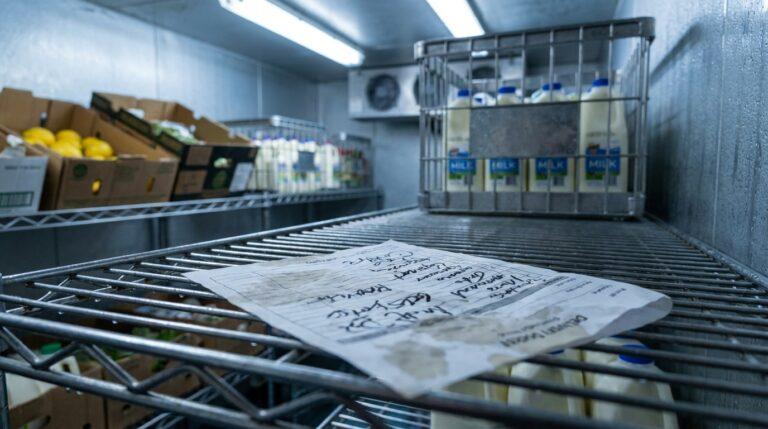
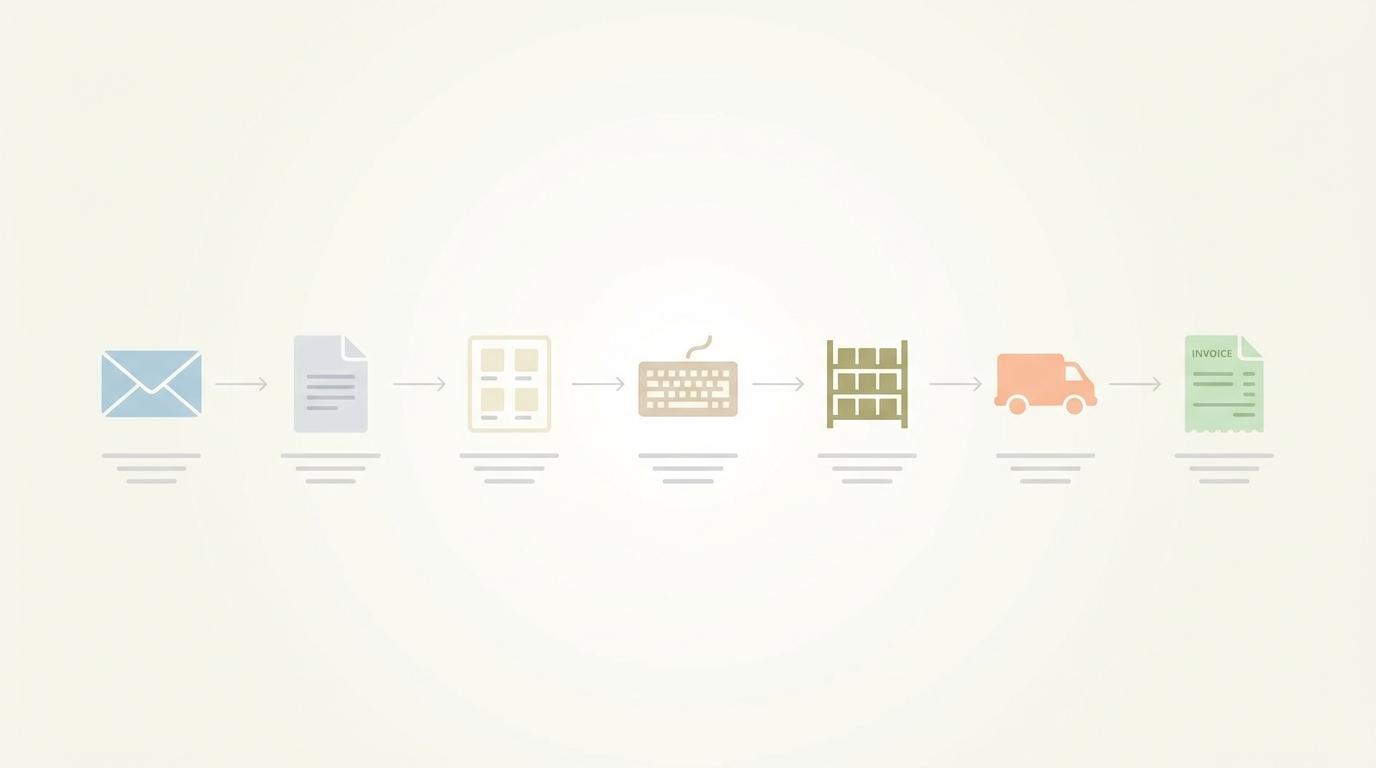
Every order we ship goes through seven steps between the buyer pressing send and our bookkeeper filing the invoice, and when I first moved from the van into the office, I only paid attention to the last three. Picking, delivery and invoicing were the parts I could see: boxes, vans, signatures, money. Everything before them happened at a desk by the window, quietly, and I assumed quiet meant fine. That chain is all sales order processing really is once you strip the software names off it, with each step trusting whatever the step before handed over.
It took me longer than I’d like to admit, and some money spent in the wrong place, to learn which of those steps breaks most often.
Most people learn how to process a sales order by sitting next to whoever did it before them. They pick up that person’s habits along with the job, good ones and bad ones, and rarely see the whole chain at once. Your steps might have different names. I’d bet they have the same shape.
Where does an order actually go?
It arrives, from everywhere
Orders reach us mostly by email. Some are typed straight into the message and some come as PDFs from the buyer’s own purchasing system. A few are phone photos of a handwritten list, taken on a kitchen counter. Add the voicemails and the orders a chef hands a driver at the back door, and the inbox turns out to be the main road in rather than the only one. The format itself is rarely the problem at this stage. What costs you here is noticing: someone has to see that an order exists and claim it. An order sitting unread in a shared inbox during a busy hour is the easiest way to miss a delivery entirely.
Someone reads it
Reading turns the buyer’s words into a list of what they want. ‘Same as Tuesday, double the cream, no rocket this week’ is a complete order to the chef who wrote it and a small puzzle to everyone else. Part of this step can now be handed to software: automating order entry means it does the first read and a person checks the lines it isn’t sure about.
Each line gets matched to your products
Reading tells you the buyer wants small lemons. Matching tells you which of your lemon lines that is, in which pack size, at which price for this particular customer. A buyer’s words and your product codes are rarely the same thing, and the gap between them is where most of the guessing happens. Pack size is the classic trap, because ‘tomatoes x 10’ can mean ten cases or ten tins, and plenty of distributors sell both. An experienced order taker closes that gap from memory. Someone in their first month closes it by asking around, or by choosing the closest match on the screen and hoping.
When we timed our own desk, a clean emailed order took about four minutes from opening it to having it entered, and a messy one took closer to ten. Nearly all of that difference sat in reading and matching, not in the typing. If you’ve never measured yours, there’s a simple way to work out what one order really costs you in minutes.
Prices belong to this step as well. If a customer has an agreed price on something, matching is the moment it either gets applied or quietly doesn’t.
It gets entered
Then the matched lines go into whatever holds your orders, usually an inventory system or an accounting package, sometimes a spreadsheet. This is the order entry process most people picture when they think about order desk work. It’s also the most mechanical of the seven steps. The buyer’s purchase order becomes your sales order here, a difference worth getting straight if your team uses the two terms loosely. On a busy morning it’s the step most likely to be squeezed in by whoever happens to be free.
Mistakes at this step are the familiar ones: a quantity typed onto the line above, a code with two digits swapped, a delivery date carried over from the previous order. Entering doesn’t have to mean retyping the buyer’s order, though. Most inventory tools accept an import file of sales orders, so a clean file can replace the keyboard work. QuickBooks Online and Xero take imported invoices too, though neither creates sales orders that way. Xero brings them in as draft invoices. QuickBooks Online’s invoice import won’t work if sales tax is set up in your account. If your warehouse picks from sales orders, or you charge sales tax, check how your own setup takes imports before you build anything around it. Whichever way it goes in, entry only ever copies what matching already decided.
Picked and packed
From here on it’s the warehouse’s turn, and the warehouse works from whatever the desk entered. If the pick sheet says big lemons, big lemons go in the crate. No amount of checking at the packing bench will change that, because the checker is comparing the crate to the same sheet. This is the step I used to worry about most. I’ll come back to why.
Out on the van
I drove for five years before I came inside, so delivery is the step I know from the cab. One morning has stuck with me for no good reason. There was frost on the van mirror, the café’s back door was still locked, and I stood stamping my feet on the step until the owner came down and let me in. Looking at my delivery note, she told me, kindly but firmly, that it wasn’t what she’d ordered. She was certain, and so was the note. I remember the steam coming off her coffee better than I remember how it got sorted.
Delivery is where most order mistakes get found. It isn’t where most of them get made.
Invoiced
Last comes the invoice, built from what actually went out, with shorts, substitutions and returns accounted for. Whoever raises it needs the signed delivery notes back from the drivers, and chasing those notes takes more of the week than anyone budgets for. Errors here are mostly inherited, like a wrong price that slipped through matching and now sits on the invoice looking perfectly official. If you import straight into QuickBooks Online or Xero, the invoice may already exist from the entry step. That only raises the stakes on getting each line right before it gets there.
I paid for checks at the wrong end
For years I believed most order mistakes happened in the warehouse. It’s an easy belief to hold, because the warehouse is where you can watch a mistake happen: wrong shelf, wrong crate, oat milk where the whole milk should be. I put money behind that belief. We added a second check at the packing bench, then scanners for the pickers, and the complaints barely moved.
Eventually I did what I should have done first. I took a month of customer complaints, every credit note and every ‘that isn’t what I ordered’ call, and traced each one back to where it started. Original email, sales order, pick sheet and delivery note, all laid out side by side on the break room table after the last van came in. It was slow, dull work, and it took a couple of weeks of evenings to get through. Halfway in, I already knew how it would end.
Most of the complaints had started at the order desk, before anyone touched a box. A line read the wrong way, a product matched to the nearest thing on the list rather than the right thing, an agreed price that never got applied. The warehouse had picked exactly what it was told, almost every time. I had been paying people to double-check work that was already right.
None of that was the desk’s fault. They were reading orders written in every style you can imagine, at speed, with the phone ringing. Mistakes come out of that mess of formats however careful people are.
Our outside bookkeeper summed it up better than I could. All she sees of an order is what comes out the far end. When I showed her what I’d found, she said, ‘By the time a mistake reaches me it isn’t a mistake any more, it’s a credit note.’ Hard to argue with that. By then it has usually cost a second trip as well, and a little of the customer’s patience.
Which steps need a person, and which are just copying?
Run through the seven again with one question in mind: does this step need judgement, or is it moving information from one place to another? Only the reading and the matching really need judgement. Working out that ‘the usual’ means last week’s order minus the rocket takes someone who knows the customer. So does spotting that one regular café’s ‘tomatoes x 10’ always means tins, because they’ve never once ordered a case. Once those calls are made, most of what follows is copying them onto a sales order, a pick sheet, a delivery note and an invoice. Picking and driving still take care and a strong back, but nobody further down the line is deciding what the customer meant.
That split is the useful part. It tells you where your most experienced people should spend their mornings, and which work an import file could carry instead.
The two steps worth fixing first
Reading and matching, every time, because that’s where the judgement sits, where most of the time goes and, going by my month of complaints, where most mistakes begin.
You might expect me to say fix entry first, since it’s the most mechanical step and the easiest to picture a machine doing. Entry only copies what matching decided, though. Speed up the typing on a misread order and you just send the wrong cases out the door a bit faster. I’d rather have a slow, correct order than a quick wrong one.
Our first fix cost nothing. Before, a new starter learned our customers’ shorthand by getting it wrong and being corrected, sometimes by the customer. Now there’s a shared sheet beside the product list. Each regular customer’s usual words sit in one column, with our code and pack size in the next. That way ‘small lemons’ for that café points at a single code, and the knowledge lives somewhere other than one person’s head. People add to it whenever they get caught out, and it gets longer every month.
The second fix was moving the checking forward: when a line isn’t clear, whoever is matching rings the customer that morning, before the order goes in. Customers mind those calls far less than I expected, and most would rather be asked than surprised.
If your volume justifies it, this is also where software earns its keep. Reading and matching are the steps a tool can take on while a person keeps the final say. The useful kind reads each order, matches the lines to your own products and prices, and asks someone about anything it isn’t sure of before handing back an import file for your system. It won’t pick, pack or drive. Your warehouse and your vans carry on exactly as before, and what changes is that fewer wrong lines reach them. That was the whole point of all those evenings at the break room table.
Before you buy anything or change anything, do the trace I wish I’d done years earlier. Pull last month’s complaints and credit notes, and for each one write down the step where it began: arrived, read, matched, entered, picked, delivered or invoiced. Then put your next hour of effort into whichever step has the most marks beside it.